Locked Files, Calm Studio: A Security Floor for Practices Without an IT Department
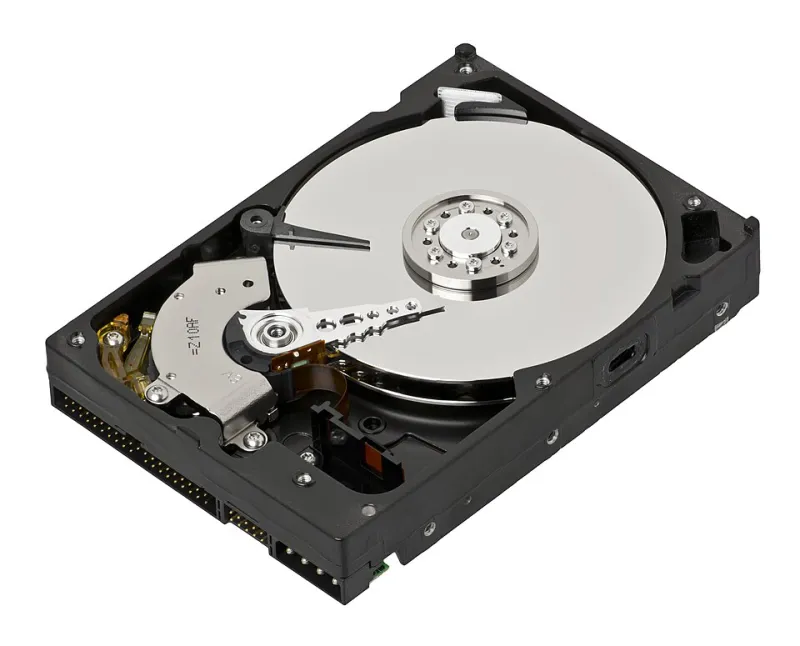
Photo: Evan-Amos, CC BY-SA 3.0, via Wikimedia Commons
An independent studio typically holds, on a single laptop and a shared drive, the equivalent of a small firm's confidential records: unreleased product designs under NDA, client financial documents, customer research, login credentials for client systems, and correspondence stretching back years. What it usually lacks is a policy. Not because designers are careless, but because security advice is written for organizations with an administrator and a budget line. What follows is a floor, not a certification — five practices, each achievable in an afternoon, that answer the questions US clients increasingly ask before they sign.
Define the Baseline Before Choosing Tools
A baseline is a written statement of how the studio handles five things: credentials, access to files, fraudulent messages, backups, and the response to an incident. One page is sufficient. Its purpose is not to impress a security auditor but to make the studio's practice consistent enough to survive a busy quarter and specific enough to hand to a client who asks.
Credentials: One Manager, Fewer Doors
Every account the studio controls should have a unique password, and no one should be expected to remember them. A reputable password manager — there are several, and the choice matters less than the adoption — generates and stores them. The highest-value action is not changing passwords on a schedule but enabling second-factor authentication, in this order: email first, then banking, then cloud storage, then everything else. Email is the master key; nearly every account reset flows through it.
Shared logins are a recurring weakness in small studios. Where a client supplies a single account for multiple collaborators, ask whether individual users can be added instead. Where that is impossible, record the credential in the manager under a client folder rather than in an email thread or a note file. Credentials pasted into project documents have a way of traveling with the documents.
Access: Default to Closed
Most file-sharing failures are not breaches at all; they are permissions working as configured. Set the studio's defaults deliberately: view-only rather than edit, expiration dates on external links, and no open-link sharing for client work. Review collaborator lists when a project ends, not when someone notices. The offboarding routine should include revoking access to shared folders, transferring ownership of deliverables, and removing client accounts from the password manager.
The same question applies to vendors. Every tool granted access to a client folder is part of the studio's security posture, and the studio should be able to say which ones hold that access and why.
Phishing: Two Habits That Cover Most Cases
Most intrusions begin with a message rather than a technical exploit, and the messages are better than they used to be. Two habits address the majority of attempts. First, verify any request to change payment details or banking information by telephone, using a number already on file — never a number supplied in the message. Second, inspect the sender's domain rather than the display name, particularly on invoices, file shares, and document-signing requests, which are the three formats most often imitated.
Studios can also make themselves a poorer target by contract. A short clause stating that payment details will change only through a signed written amendment, confirmed by telephone, protects both parties and gives the studio a legitimate reason to slow down an urgent request.
Backups: Three Copies, and Test the Restore
A workable routine: the working file on the studio machine, a local backup on a separate drive, and an encrypted cloud copy, with versioning enabled so that a deleted or corrupted file can be recovered from an earlier date. Synchronization is not backup. A synced folder faithfully propagates deletions and ransomware encryption to every connected device.
Test the restore twice a year. A backup that has never been restored is a hypothesis. The test takes fifteen minutes and is the single most informative maintenance task in the studio's calendar. Client-supplied assets deserve the same treatment; losing a client's source files is a different order of problem than losing your own.
Incident Response: One Page, Four Steps
Write the plan before it is needed, print it, and keep it where it can be found without opening the compromised machine.
- Contain. Disconnect from networks, revoke active sessions, and change passwords from a separate, clean device.
- Assess. Determine what was accessed and whose information it involved. Regulated data — health, financial, educational — raises the stakes immediately.
- Notify. Contact the client, the studio's insurer if cyber coverage exists, and counsel. Breach notification obligations vary by state and by data type; a brief conversation with an attorney is worth more than a search engine.
- Record. Write down what happened, when it was discovered, what was done, and what changed afterward. This record serves the client, the insurer, and the studio's own memory.
List three contacts on the page: attorney, insurance broker, accountant. In the moment, no one wants to search for them.
What Clients Now Expect to Hear
Clients with regulated data — and increasingly clients without it — send security questionnaires before onboarding. A one-page policy turns that questionnaire from a two-day project into a twenty-minute reply. The same page supports contract language on confidentiality, permitted subcontractors, and notification timelines, all of which are easier to negotiate when the studio can describe its practice in specifics rather than assurances.
Review Annually, Briefly
Schedule forty-five minutes each year to walk the page: confirm second-factor authentication is enabled everywhere it should be, clear dormant collaborator access, run a restore, and update the contact list. The baseline holds not because it is elaborate but because it is small enough to be repeated.